With Apple’s new cut-price MacBook Neo entering the market, it is a good time to ask a simple question. What is the best cheap, basic laptop for everyday use in 2026?
You would be hard-pressed to buy a truly bad laptop these days. Almost everything on the market will handle basic browsing, emailing and social media without much trouble. The real problem is choice.
This guide focuses on simple laptops that are affordable, portable and easy to use.
What you can and can’t do with these laptops
First, let’s define what we mean by basic use.
These laptops are designed for everyday digital tasks like:
• Browsing the web
• Checking and sending emails
• Writing documents
• Paying bills online
• Watching YouTube or Netflix
• Video calling family or friends
They are not designed for heavy tasks like video editing, advanced gaming, large photo libraries or complicated design software.
Think of them like a reliable family car. They will comfortably handle the daily commute, but they are not built for racing.
You’ll also notice that every device in this guide has a smaller screen, around 12 or 13 inches.
That is deliberate.
Smaller laptops are usually cheaper, lighter and easier to carry. Larger laptops cost more because bigger screens increase manufacturing costs. If you are looking for the most affordable laptop that still feels good to use, the smaller size is usually the sweet spot.
A word on pricing
For this article, I’m focusing on the price of the laptop itself. However, it is important to remember that some software now runs on subscriptions.
Microsoft Office, for example, now charges a monthly or yearly fee if you want the newest version. If you already pay for Office you can keep using it, but it is worth remembering that it adds an ongoing cost.
The good news is there are excellent free alternatives.
Google Docs, Sheets and Slides are free and work in any web browser. Apple users also get free apps like Pages, Numbers and Keynote built into every Mac.
For basic users, those free tools often do everything you need.
Now let’s look at the laptops.
(Note: these are in no particular order)
Microsoft Surface Laptop (12-inch): Windows 11 workhorse
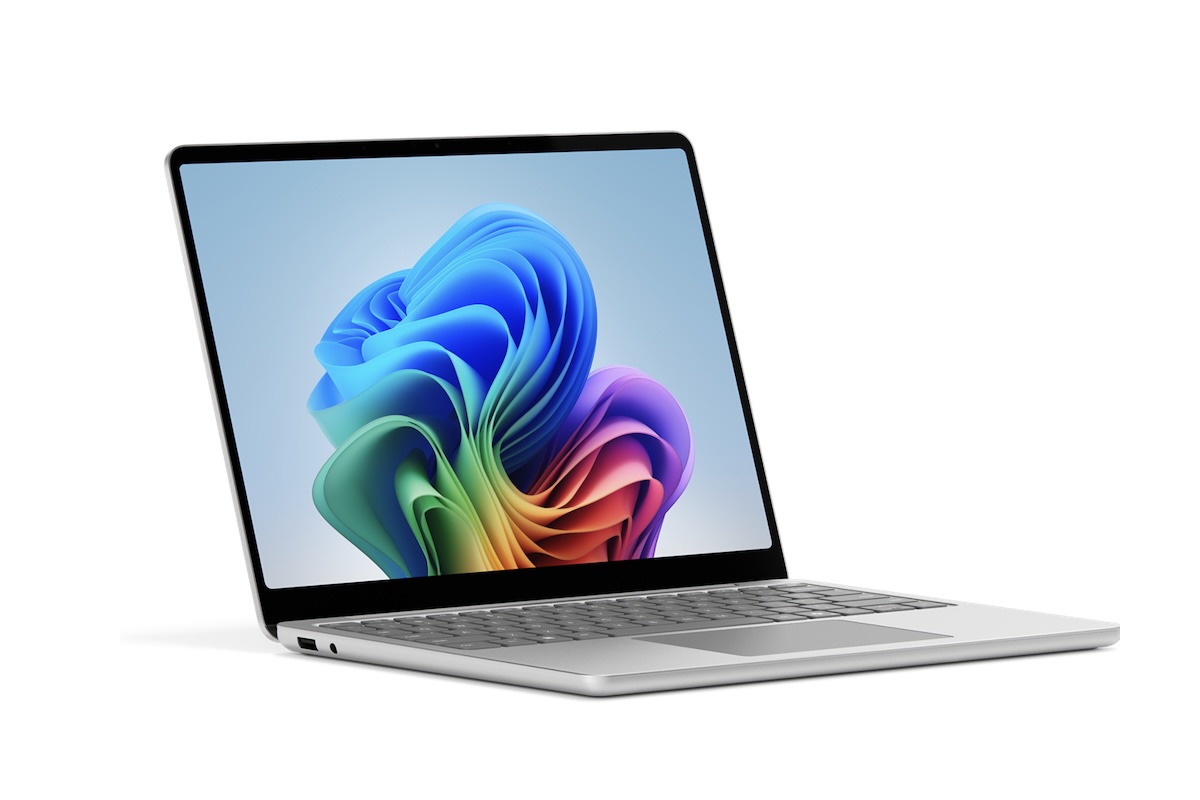
If you want a simple, reliable Windows laptop that will last a long time, the Surface Laptop is one of the safest choices.
The good
Microsoft designs the hardware and the software together, which usually means fewer glitches and a smoother experience than many cheaper Windows machines. The Surface also feels far more premium than most laptops in this price range.
The Surface Laptop has a 12-inch touchscreen display. That means you can tap the screen with your finger if you prefer, just like using a tablet.
The screen refresh rate is 60Hz, which simply means the picture updates 60 times per second. For everyday use like reading, browsing and watching videos, that is perfectly smooth.
Inside the laptop is a Snapdragon X Plus processor with eight cores. That sounds technical, but think of it as the brain of the computer. More cores help the computer juggle multiple tasks at once, such as having several browser tabs open.
The laptop is designed to be extremely portable. It weighs about 1.22 kilograms, which makes it easy to carry around the house or pack into a bag.
Battery life is another strong point. Microsoft says the Surface Laptop can deliver up to 23 hours of video playback on a single charge. In everyday use that means many people will only need to charge it once every day or two.
The laptop also includes several useful ports for connecting accessories, including older, larger USB-A ports and newer more universal USB-C ports.
The USB-C ports support fast charging, which means the laptop can recharge quickly.
Security is simple too. The power button includes a fingerprint reader, so you can unlock the laptop with your finger instead of typing a password.
There is also a built-in Full HD webcam for video calls, which means clearer picture quality when using Zoom, Teams or FaceTime-style apps.
All of this runs on Windows 11, Microsoft’s latest operating system.
Personally, if you already use Windows, the Surface Laptop is one of the most polished and reliable ways to keep doing so.
The bad
There is no getting around it. Surface laptops are expensive.
Even before the MacBook Neo appeared, it was difficult to call them cheap. The Surface Laptop starts around $1,499.
Microsoft charges a premium for its own hardware compared with laptops from brands like Asus, Dell and Lenovo.
Despite that, I have included the Surface Laptop here for one reason. They tend to age well.
I have used many Windows laptops over the years and cheaper models often slow down sooner than you expect. Surface devices generally hold their performance much better over time.
If the Surface price feels too high, it is worth looking at alternatives like the Lenovo IdeaPad Slim or the Asus Vivobook, which often sit closer to the $1,000 mark.
Apple MacBook Neo: the cheap and cheerful MacBook
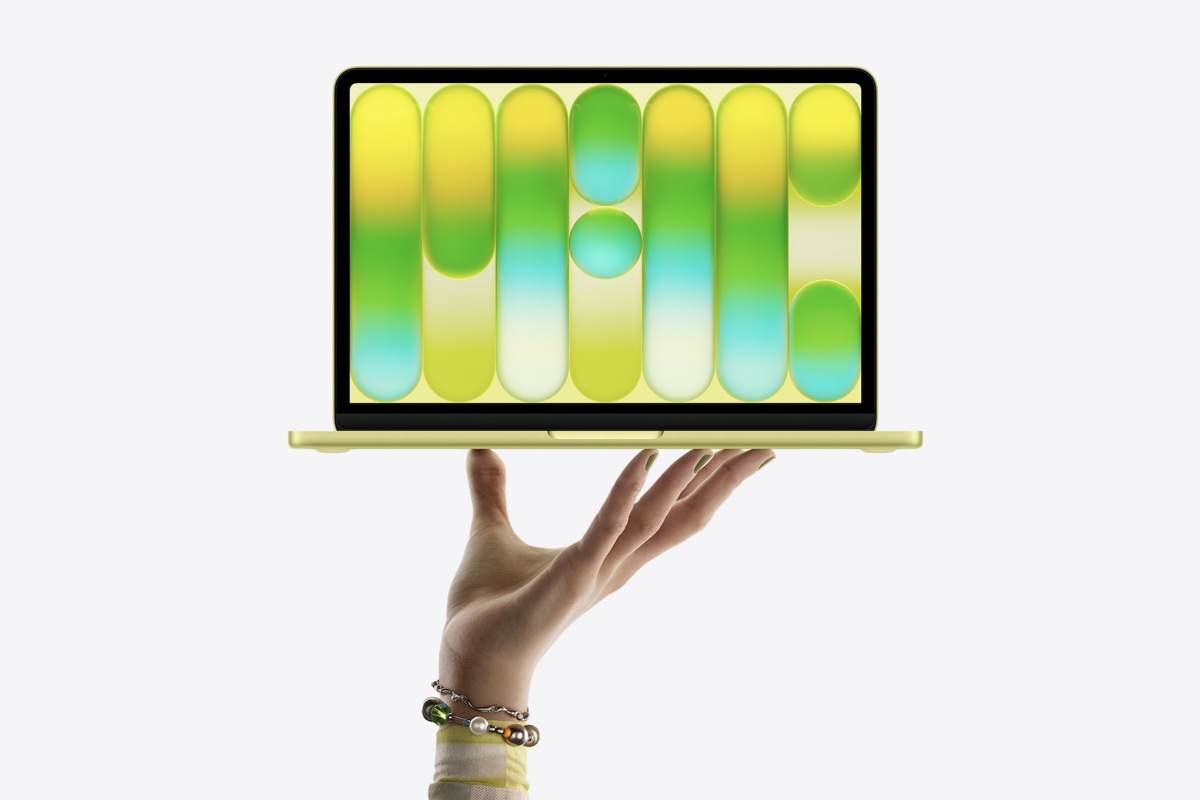
Apple’s MacBooks are normally expensive. The MacBook Neo changes that.
It is Apple’s attempt to make a simple, affordable laptop for everyday users who want the Apple experience without paying premium prices.
The good
The MacBook Neo is designed for exactly the kind of basic user this guide focuses on. It handles web browsing, emails, video calls and documents easily, and it does so with the reliability Apple laptops are known for.
Like most Apple laptops, the Neo is built to feel solid and durable. It is also light and easy to carry, which makes it a comfortable device to move around the house or take travelling.
The MacBook Neo comes with a 13-inch display, which is slightly larger than the Surface Laptop but still compact enough to stay portable.
The screen is designed to be clear and comfortable for reading text, browsing the web and watching videos. For everyday users, it offers plenty of brightness and clarity.
Inside the laptop is Apple’s own processor rather than the Intel chips used in older Macs. Think of the processor as the engine of the computer.
Apple moved to its own chips a few years ago, and the result has been faster performance and much better battery life. The computer can run quietly and efficiently without getting hot.
The MacBook Neo also includes Apple’s standard webcam for video calls, which delivers clear picture quality for services like Zoom, FaceTime or Skype.
For storage, the Neo starts with enough space for everyday documents, photos and apps. Storage simply refers to how much digital space the computer has to hold your files.
Memory, sometimes called RAM, helps the computer keep multiple apps open at the same time. The Neo includes enough memory for typical tasks like browsing the web while writing a document or watching a video.
The laptop includes USB-C ports for charging and connecting accessories. These are the small oval-shaped ports used by most modern devices.
Apple also includes Wi-Fi for wireless internet and Bluetooth for connecting things like wireless headphones or a mouse.
Battery life is one of Apple’s traditional strengths. In everyday use, most people will get a full day of use before needing to recharge.
The MacBook Neo runs macOS, Apple’s operating system.
If you already use an iPhone or iPad, macOS often feels familiar. Photos, messages and files can sync between Apple devices automatically.
The bad
If you already use a Mac, you will probably love almost everything about the MacBook Neo.
It does exactly what most everyday users want and nothing more, all for around $900. That makes it one of the cheapest MacBooks Apple has ever released.
However, it is not a great choice for someone who strongly prefers Windows.
A few years ago, Apple moved away from Intel processors and built its own chips instead. Those chips are excellent for performance and battery life, but they also mean you can no longer install Windows on a Mac like you used to.
If you rely on Windows software, that could be a deal breaker.
There is another small annoyance.
Apple kept its fingerprint login system, called Touch ID, for the more expensive version of the laptop, which starts around $1,100. Touch ID lets you unlock the laptop instantly with your finger rather than typing a password.
It is a genuinely useful feature, so it is disappointing that it does not come with the base model.
The other complaint is mostly cosmetic. The MacBook Neo only comes in a set of pastel colours. You can choose from pink, yellow, ice blue or a soft silver. If you just want a traditional-looking laptop, the silver option will probably be the safest choice.
HP Chromebook: the curveball
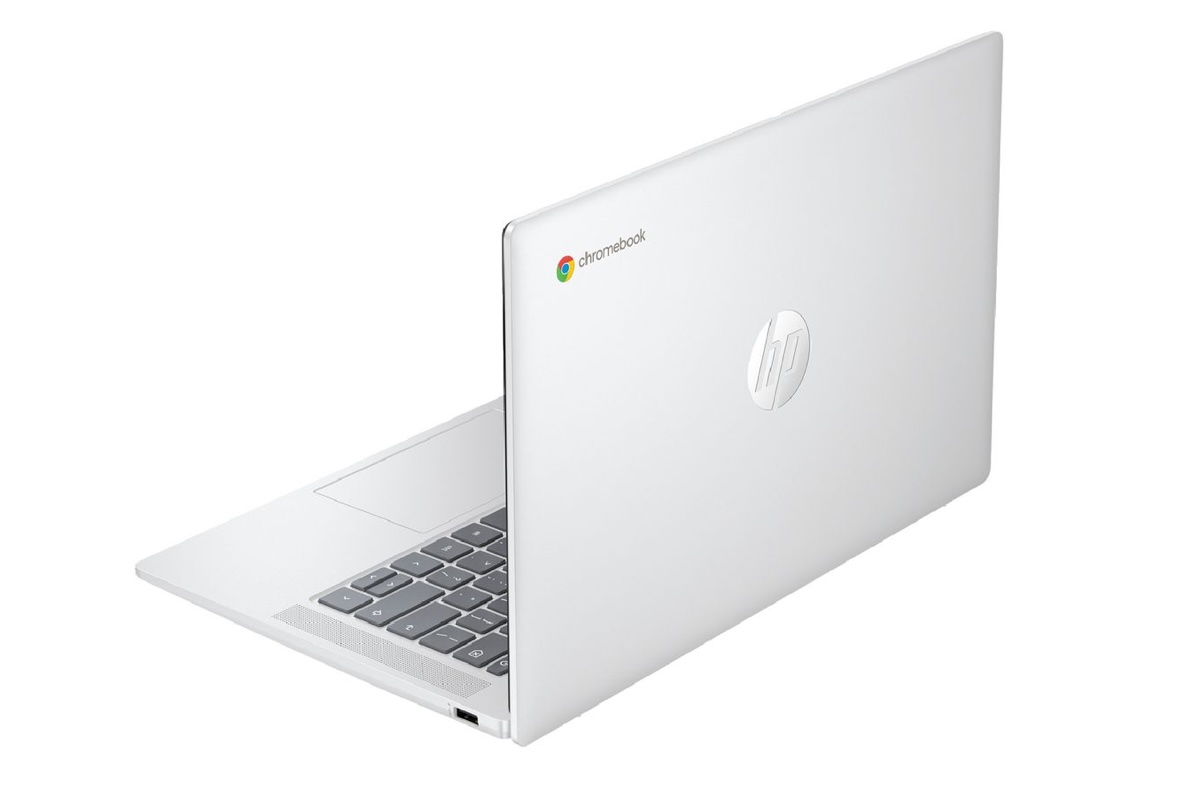
If you want the absolute cheapest laptop that can still handle everyday internet tasks, a Chromebook is worth considering.
But there is an important catch.
Chromebooks run a completely different operating system from the other laptops in this guide.
Instead of Windows or macOS, they run something called ChromeOS.
ChromeOS is built by Google and is designed primarily for internet-based tasks. It works a lot like the Google Chrome web browser. Most things happen inside a browser window rather than traditional computer programs.
For many basic users, that is perfectly fine. But it does mean a Chromebook behaves differently from a normal laptop.
The good
The biggest advantage of a Chromebook is price.
They are often the cheapest laptops you can buy from major brands, and they are built specifically for light tasks like browsing, email and writing documents.
The HP Chromebook listed here uses a 14-inch display with a resolution of 1366 by 768 pixels. In simple terms, that means the screen is clear enough for reading websites, emails and watching videos, though it is not as sharp as more expensive laptops.
Inside the laptop is an Intel N100 processor with four cores and a clock speed of up to 3.4GHz. Think of this processor as the basic engine of the computer. It is designed for simple tasks rather than heavy workloads.
For everyday users who mainly browse the internet and check emails, it is perfectly capable.
The laptop includes 4GB of memory, also known as RAM. Memory helps your computer keep several things open at once. Four gigabytes is enough for tasks like browsing with a few tabs open, writing documents or watching videos online.
Storage comes at around 64GB of storage. Again, modest, and good-enough to recommend for very basic users. Chromebooks rely heavily on cloud storage like Google Drive, so you do not usually need large amounts of local storage.
The laptop weighs about 1.45 kilograms, which makes it fairly portable and easy to move around the house. Battery life is rated for up to around 12 hours, meaning it should comfortably last through a full day of light use without needing to be plugged in.
The laptop also includes a built-in webcam capable of 720p video. That is perfectly suitable for video calls with family or friends.
You also get several physical ports for connecting devices:
The bad
The biggest limitation of a Chromebook is the operating system. ChromeOS is not the same as Windows or macOS. That means you cannot install most traditional desktop software designed for Windows or Mac computers.
Programs like Microsoft Word, Excel and PowerPoint do not run as normal desktop apps on a Chromebook. Instead, you use web-based versions through a browser.
For many people that is completely fine. Google Docs, Sheets and Slides can replace most everyday Office tasks. However, if you rely on specific Windows software, a Chromebook may not work for you.
Chromebooks also tend to have lower storage and memory than traditional laptops. That is not usually a problem for basic internet tasks, but it can become limiting if you try to do more demanding work.
Think of a Chromebook less like a traditional computer and more like a large, powerful web browser. If your computing life mostly happens on websites, it can be a surprisingly good fit.